My main focus is adding content to Erios, and so, that is what I did! Silence does not mean progress, it’s quite the opposite actually! Last update was in February 2026, so let me show you the highlights of everything new in the last 6 months.
Achievements
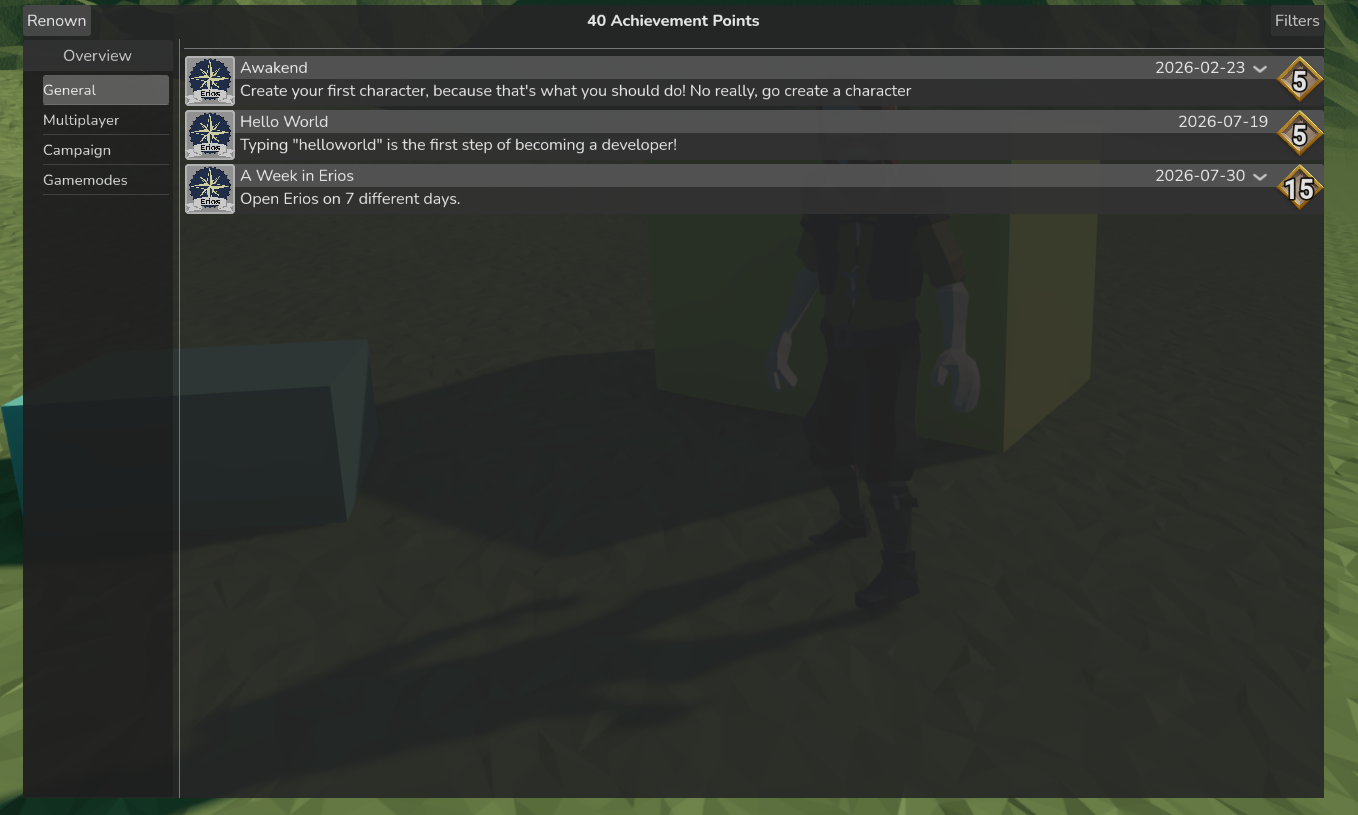
Finishing this update was quite an achievement, phew… DING! ACHIEVEMENT UNLOCKED! Woah, I got an achievement for finishing the update? Well, so you can now! As Erios got achievements! In concept it’s quite simple really, you do something, and you hear a sound effect that says you got an achievement.
Currently there are only 6 achievements, yet there are going to be many many more. And yes, achievements do run on Lunaris.
Fun fact, I bought myself a MIDI piano, so the achievement sound effect you will hear was composed by me. And so will many other sound effects!
Lunaris Rework
Which brings us to the next major update: Lunaris. Lunaris is the beloved custom programming language that is used extensively within Erios. Characters, Quests, Items, Achievements, Mods; practically any dynamic content runs on Lunaris. Previously it was almost similar to LUA, except with some extra Quality of Life improvements such as the ++ and += operators. Not that different.
I am a C# developer, which means I love the C-like syntax. If you’re not a programmer, then none of this will make much sense to you, or if you are a programmer, you might have a different opinion, but I like LUA, yet not the syntax. The syntax just feels so, idk, old? So, I fully refactored Lunaris to become a C-like language!
local weather = "Rain"
switch (weather) {
    case "Sunny":
        print("Wear sunglasses.")
        break;
    case "Rain":
        print("Take an umbrella.")
        break;
    case "Snow":
        print("Wear a warm coat.")
        break;
    default:
        print("Check the forecast.")
        break;
}
Collecting the sound of Erios
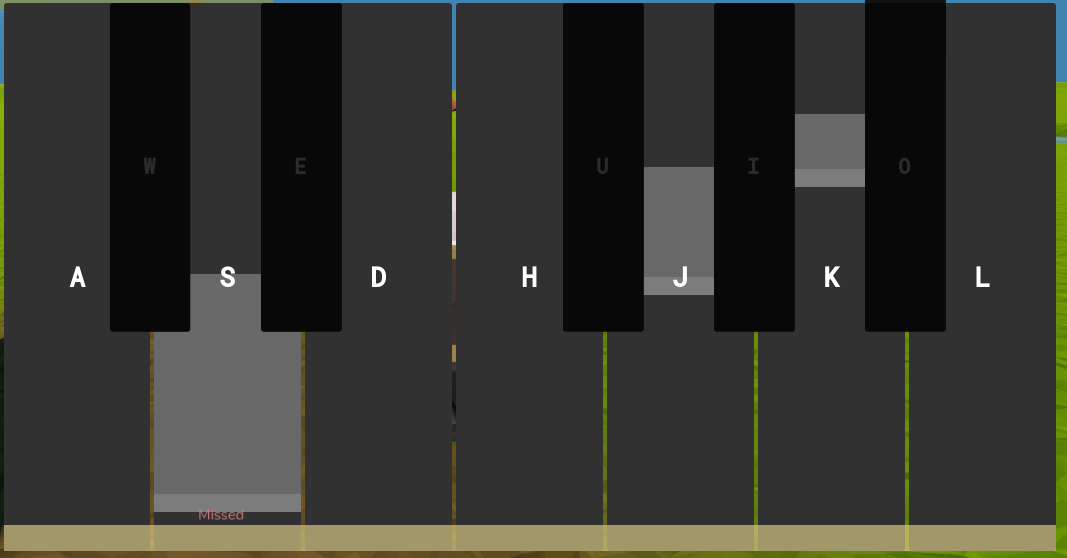
Collecting sound? Yes, you can collect sound, or to be more precise: compositions. Erios will have various collectables, and the first one is songs. You can talk to an NPC to learn a song, and if you can play it well enough, then this song will be added to your song collection. Songs in Erios are MIDI files, which is a file format that keeps track of which notes are played, their duration and a lot more. The awesome part of a MIDI file, is that you can easily switch between instruments. So later on, you can also collect or craft musical instruments, and play the songs that you have learned. Whether it’s a guitar, violin, piano or custom fantasy instruments of the Erios universe, you will be able to play them.
Songs don’t have mod support yet, but when they do, you can virtually play any song within Erios. If only you could play them together with your friends…
Multiplayer is back!
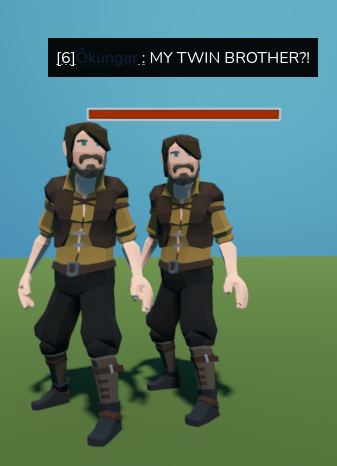
Well, it wasn’t away, but I did disable the multiplayer button at one point due to the issues it had. I’ve resolved that, and thus you can play together with your friends. Now in its current phase, multiplayer is still quite barebones, as it only syncs your position and rotation.
Automated Testing
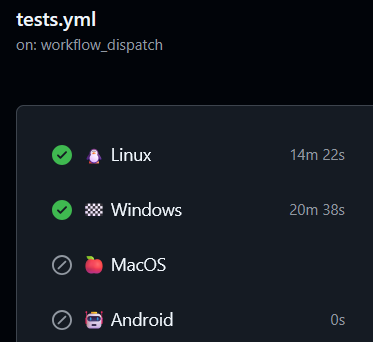
I’ve spent a lot of time on improving the automated tests in Erios. Before there were about 12 tests? Now there are 197, and perhaps by the time you read this, already 200. What a test does:
- Loads the main menu
- Executes a use case (like can an NPC move from A to B within 15s through this maze, as this will test navigation logic of an NPC)
- If it succeeds, awesome, if it fails, it will report a failure
It sounds so simple, yet it is so so valuable to have these tests. I can now press a “Run Tests” button, and within 20 minutes I have a full report on whether Erios works on Windows, Linux, MacOS and Android.
Fun fact: I have a working version of Erios on my Android phone. It runs quite well, the main bottleneck is UI. As on desktop there are so many keys you can press, yet on a mobile phone, this needs to be done through a button on a touchscreen. So the main focus is desktop until the full release of Erios, but I do experiment on Android because it’s quite fun to show people Erios running on my phone. Also iOS sucks as a developer as I would need to pay $100 a year just to be able to test it >.>
New Skill: Artist
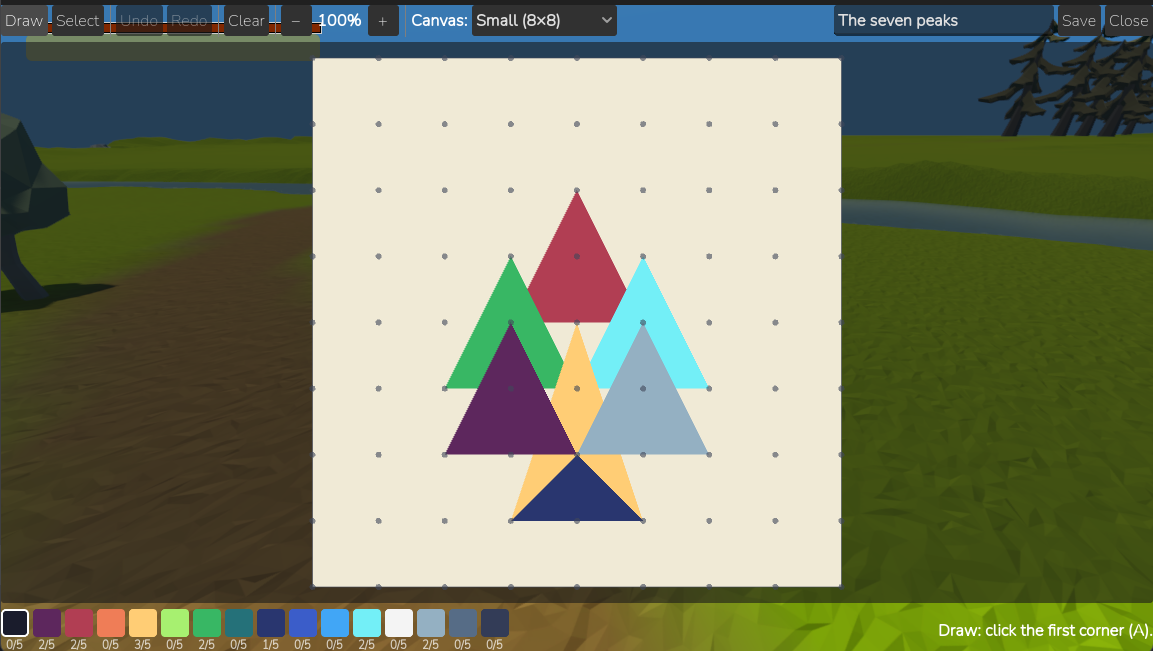
Erios’ 3rd skill has arrived: Artist! As an artist you can paint paintings, and sell them to customers (or keep them to decorate your house). Now, you can’t own a house yet, nor does the concept of money exist yet, but when they do, you can. I originally didn’t intend on including this skill for the release of Erios, let alone the demo, but it’s a fun relaxing side activity.
Since Erios is a low-poly art-styled game, I decided to add triangles as the creative limitation for creating art. I am not that talented with art, but with enough patience and creativity, you can make something beautiful like this example:
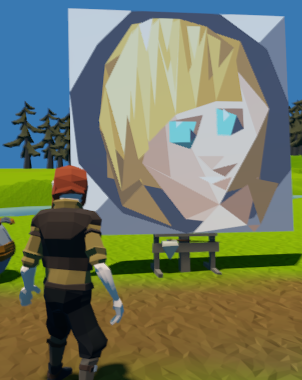
Painting requires “paint”, which can be bought from traders or you can make it yourself through the alchemy skill. Any artwork you create is saved, so if you have the required resources, you can easily reproduce previous paintings.
Perhaps time to create a multiplayer server called “Lithrun’s Painting Club”?
Dedicated Server
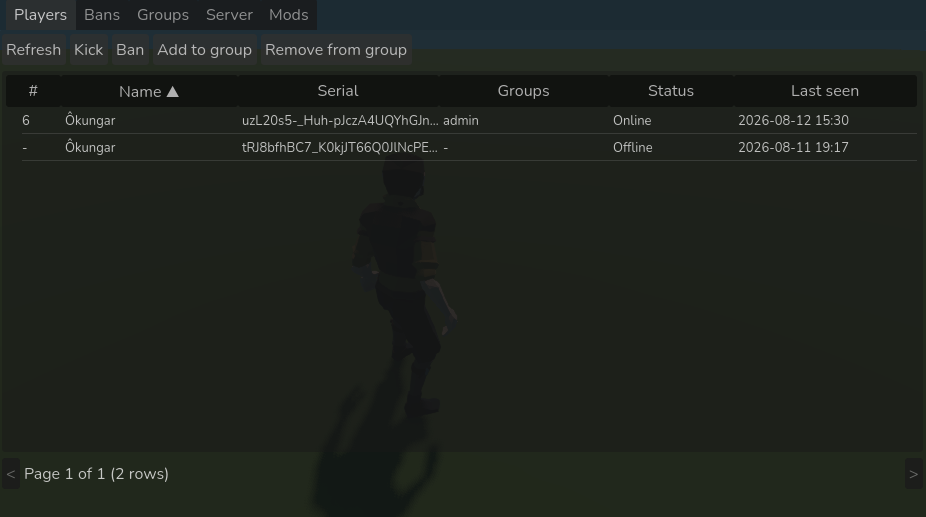
If you run Erios, you can host a multiplayer session on your own PC that other players can connect to. Yet this does expose your IP, or perhaps you have a router like me that doesn’t easily support dynamic port forwarding… So, you can now also host a Dedicated Server. The dedicated server is a standalone program that will host a multiplayer server. Yeah, that’s what it is. It is available for Linux & Windows (64-bit).
The dedicated server currently supports:
- SQLite / MySQL DB
- Groups & Permissions (i.e. you can make players a moderator that has access to the
command.ban. You can also make your own groups, as it’s fully customizable) - Mod Support
Yes, the dedicated server also supports mods! Even 3 types of mods:
- Client Side Mods (mods that don’t run on the server, only for players that join)
- Server Side Mods (mods that only run on the server, so never for players)
- Shared (mods that run on both the server & client)
To make it easier for players to join with the right mods, a server can also enable “server download”, which allows a player to download any client-side files before joining the server.
I’m currently running one myself on a Linux docker container, so if you are a playtester, feel free to meet me there! If you aren’t a playtester, just send me a message and you can become one~
Modifying Erios through mods
The mod editor has received some serious upgrades! It now has:
- Search Functionality
- Resource Editor
- Localization Editor (specialized tool that shows which translation keys are missing)
Now I want to specifically highlight the resource editor, as through here, the modding magic happens~
Through the resource editor, you can modify any supported resource. A resource is many things in Erios, like a quest, item, NPC, song, yet you can now edit these yourself! For instance, there is a song called “A forgotten memory of Hergan”. Yet I don’t like that name, I want a mod that changes it to “The soul of FIRE”, so I can do that.
Before it’s this:
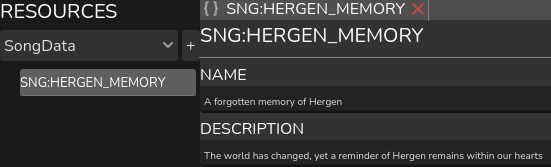
Now it’s this:
 New resources are marked as green, modified game resources are marked as yellow
Now when the mod is activated, in-game you can see that the name has now been changed.

Now this is just a very basic example, but there are many things you can do:
- Add new quests
- Add new items
- Add new levels
- Add new towns/cities into existing levels
- Add new NPCs
- Add support for Erios in another language (e.g. I don’t speak Spanish, but you could make a mod that fully translates the game into Spanish!)
- And many more things!
Auto-Detect Graphics
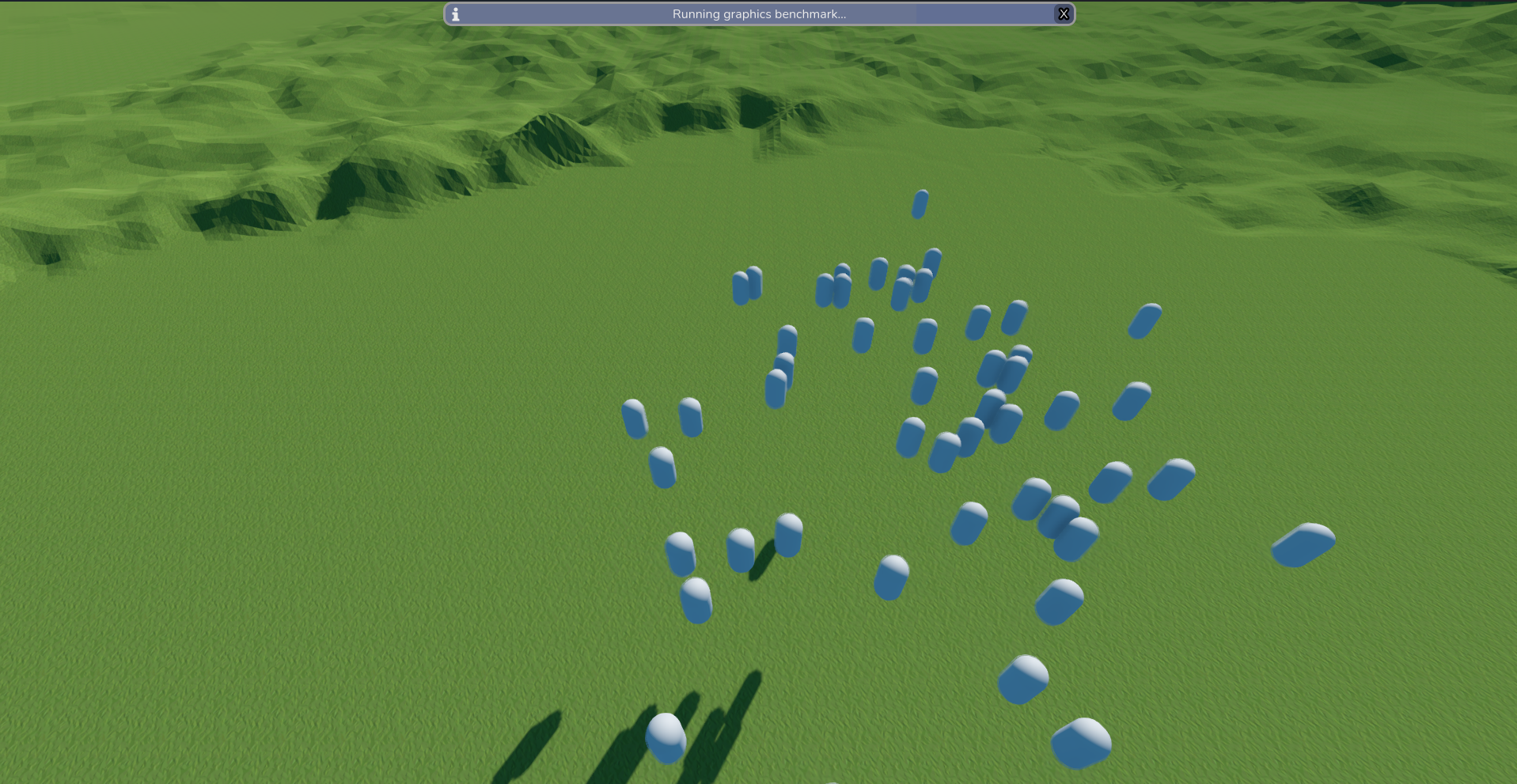 What are those white cylinders doing? A lot of calculations to see how well you can handle Erios!
Erios has many graphical tweaks, but what if you just want the settings that will run well on your machine? Well, auto-detect got you covered! The first time you run Erios (or whenever you click the “auto-detect” button in the settings menu), it will run a benchmark. Then based on the results from that benchmark, the game will automatically set the recommended settings for you. It just works.
Other
- Combat system is being reworked to have abilities. Somewhat similar to ESO without the animation cancelling exploits
- Level Chunk System further improved which drastically reduces load times
- Added a lot of missing translations for Dutch & Japanese
- Bugs were everywhere, now there are far fewer!
Message from the developer
This update took a while, but it has so much to show. Erios is a much better game than it was during the last blog. I’m fully focused now on finishing up all of the functionality that is needed for the demo, and once that is there, I will spend a lot of time to craft an awesome demo to showcase everything! It might not look like it at times, but building blocks are slowly becoming a building!
Work was very busy in June & July, so not much happened during those months. I am back from a nice vacation, and full of energy. Thank you for reading this blog. If you read this on the 12th of August 2026, you are a legend. If you read this later, you are still awesome. See you at the next update! I will now decide what to choose next~
- Lithrun

Comments